Skip to content
Innovation POD · Flink

Flink POD: stream processing that is correct, fast and operable

A small, senior team of Apache Flink engineers working inside your environment. Event time and watermarks chosen from your data, state and checkpoints you can restore, Flink SQL or the DataStream API, on Kubernetes or a managed Flink service. One agreed outcome in about 12 weeks.

Who it is for

For teams whose streaming results have to be right

A first real-time use case

Fraud signals, anomaly alerts or live operational metrics, where the hourly batch job is an hour too late and the result still has to match it.

A Flink job that struggles

Backpressure, checkpoints that time out, state that grows without bound, or a job that has reached its maximum parallelism.

Standardising Flink as a platform

Many jobs, many teams: the operator, upgrades through savepoints, high availability, autoscaling and CI for every job.

Signs it is time

  • Checkpoints time out or keep growing
  • Backpressure nobody can explain
  • Replaying the same data gives different results
  • Upgrading a job means losing its state
  • The job cannot scale past its maximum parallelism
  • Late data disappears without anyone noticing
Outcomes

What is true at the end of the POD

  1. Jobs in production with correct results

    Event time, watermarks and late-data handling chosen from measured lateness, and results reconciled against history.

  2. State that is safe

    Checkpoints, savepoints and retention configured deliberately, and a restore that has been tested, not assumed.

  3. Performance with headroom

    Bottlenecks found with backpressure metrics, skew fixed, and parallelism sized from measurements.

  4. A repeatable way to deploy

    Jobs deployed through the operator or your managed service, with upgrade modes, high availability and CI.

  5. Monitoring and runbooks

    Dashboards and alerts for backpressure, checkpoint duration, consumer lag and restarts, each with a runbook.

  6. A team that owns it

    Your engineers co-build from week 2 and leave with the tests, the tuning method and the design decisions.

Week by week

What the team delivers, week by week

Week 1

Discovery

What the POD does
  • Agree the outcome and the rule for a correct result
  • Review existing jobs, sources, sinks and latency targets
  • Profile lateness and key skew from a sample of real data
What you have at the end
  • Outcome statement and latency target
  • Data profile: lateness, skew, volumes
  • A fixed proposal naming the POD team
Weeks 2–4

Foundation

What the POD does
  • Design sources, keys, state, windows and sinks, including exactly-once where it is needed
  • Stand up deployment through the Flink Kubernetes Operator or your managed service
  • Build a test harness that replays recorded history
What you have at the end
  • Design document with the reasons
  • A skeleton job running end to end
  • CI with replay tests
Weeks 5–10

Build & iterate

What the POD does
  • Build the jobs in Flink SQL or the DataStream API
  • Compare results against history every week
  • Tune: backpressure, skew, serialization, state access, external calls and sinks
What you have at the end
  • Jobs demoed weekly on real data
  • Reconciliation reports
  • A tuning report with before and after
Weeks 11–12

Production & handover

What the POD does
  • Go live; rehearse restore from checkpoint and savepoint
  • Upgrade a job through a savepoint with your team
  • Paired on-call and handover sessions
What you have at the end
  • Runbooks and dashboards
  • Restore and upgrade drill results
  • Handover sessions; optional managed tier

Every week: a demo of working software against the outcome metric. Every two weeks: a steering review. No status decks.

Reference architecture

A Flink job, from events to decisions

The parts every production Flink job has to get right, and where the POD spends its time.

Sources

Kafka topicsEvents and CDC
DatabasesChange data capture
Files & tablesIceberg, Delta, object storage
Reference dataCompacted topics, lookups

Apache Flink job

Sources & watermarksEvent time, per-partition watermarks, idleness
Keyed state & windowsRocksDB state backend, timers, TTL
Enrichment & joinsAsync I/O, broadcast state, temporal joins
SinksExactly-once or idempotent writes
Checkpoints & savepointsDurable object storage
JobManager & operatorHA, upgrades, autoscaler

Outputs

Kafka topicsSignals, alerts, enriched events
Lakehouse tablesIceberg or Delta
Databases & cachesServing lookups
Dashboards & agentsLive metrics, real-time context
Governance & operations
  • Flink Kubernetes Operator
  • Savepoint upgrades
  • Autoscaler
  • Backpressure and checkpoint metrics
  • Replay tests in CI
  • Consumer lag alerts

Event time from the data

The watermark bound comes from measured lateness, not a guess. Event time and watermarks.

State you can restore

Checkpoint interval, retention and sink transaction timeouts are set together. Checkpoints and savepoints.

Scale decided once

Maximum parallelism is chosen on day one, because changing it later loses state. Scaling Flink jobs.

Typical use cases

What Flink PODs are asked to build

Fraud signals in the authorisation window

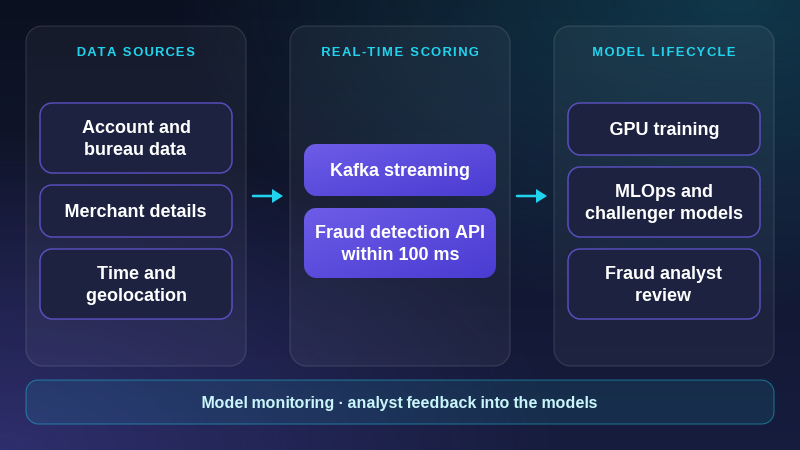
Per-card velocity, geography and merchant signals for the decision engine. Worked example.

Sensor and telemetry anomalies

Late, out-of-order readings, per-sensor baselines and silence alerts. Worked example.

Streaming into the lakehouse

Kafka to Iceberg or Delta with exactly-once commits and table maintenance. Read more.

Live context for AI agents

Materialised current state that agents read through MCP. Read more.

Rescue a slow job

Find the real bottleneck before adding resources. The method.

Flink on Kubernetes

Operator-managed jobs, upgrade modes, HA and autoscaling. The guide.

What the POD brings

Products the Flink POD works with

Flink jobs rarely live alone. These InsightLake products cover the platform and metadata around them, deployed in your environment where they help.

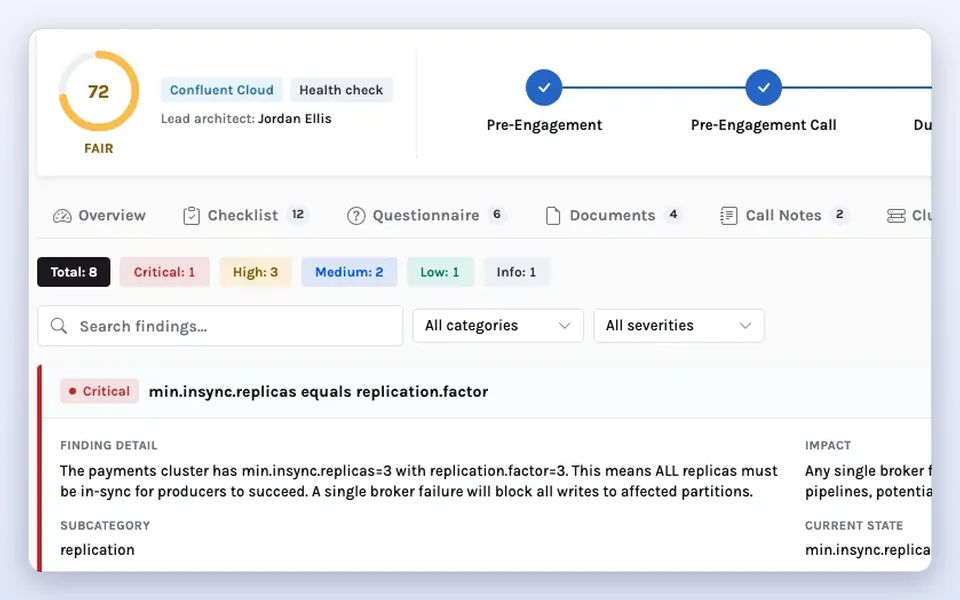
Kafka health checks

InsightKafka

AI-powered Kafka health checks with automated cluster assessment and optimization.

  • Runs against Confluent and Redpanda clusters
  • Findings and scores across configuration, replication and clients
  • A report the platform owner can act on
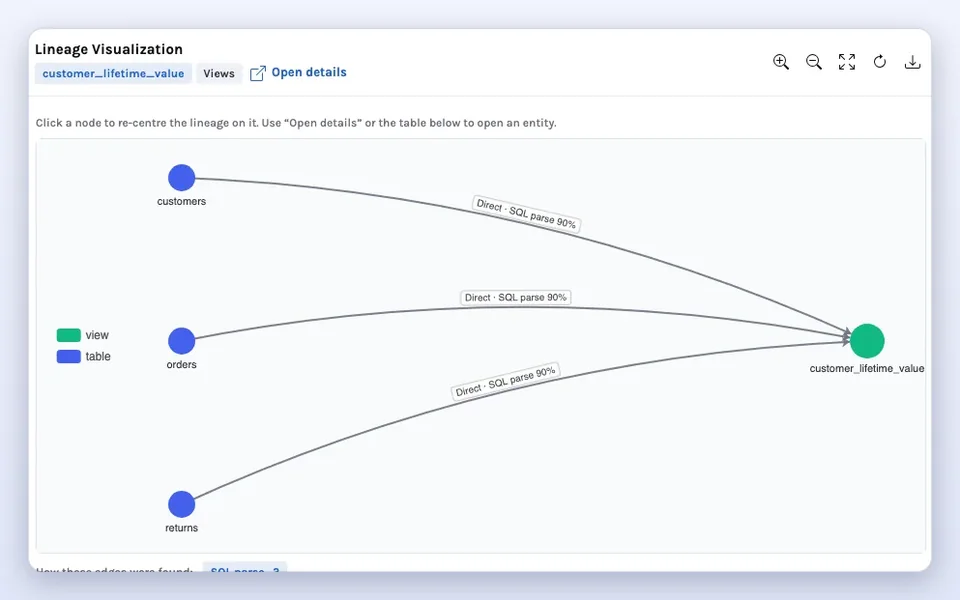
Data catalog

InsightDataCatalog

Enterprise AI data catalog for metadata search across databases, streams, workflows and BI.

  • Search topics, tables, workflows and dashboards in one place
  • Lineage from source tables to the views built on them
  • Ownership and descriptions where people look for them
Workflow engine

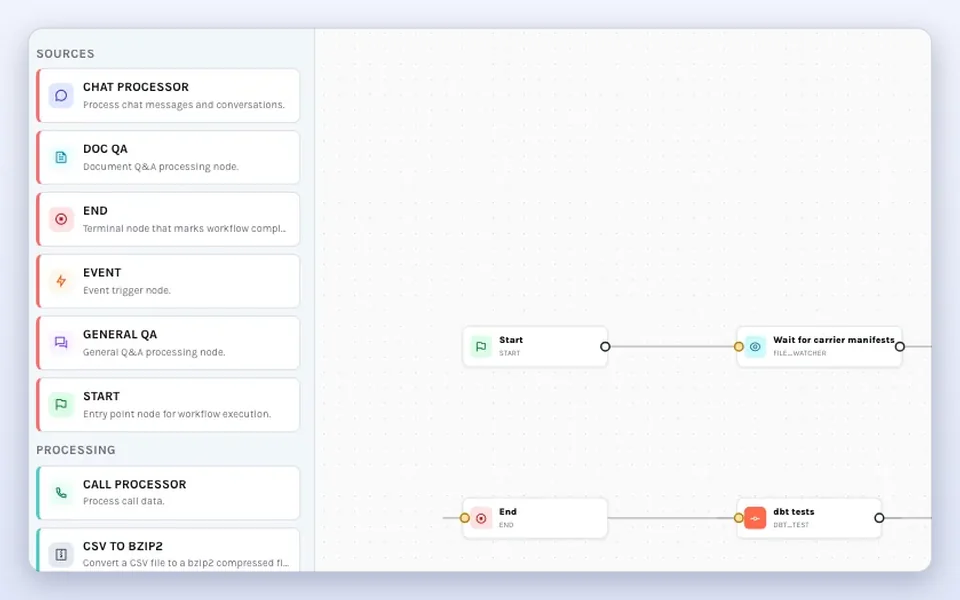
InsightDataFlow

Low-code and no-code workflow engine for agents, data, ML and AI pipelines across clouds.

  • A visual designer with source and processing nodes
  • Pipelines for data, ML and agent workflows
  • Runs across AWS, Azure and Google Cloud
Proof and reading

Streaming work and field guides

Case studies from our real-time streaming engagements, and the Flink guides the POD works from.

Field guides and worked examples

FAQ

Questions about the Flink POD

Flink SQL or the DataStream API?

Both, often in the same pipeline. Flink SQL covers most joins, aggregations and windows with less code; the DataStream API is used where a job needs custom state, timers or control over every record. The design document says which part uses which, and why.

Where should Flink run?

On Kubernetes with the Flink Kubernetes Operator, on a managed Flink service from your cloud or Kafka provider, or on the clusters you already run. The choice follows your operating model; the job code moves between them with little change.

Can you fix our existing job without a rewrite?

Usually. We follow a fixed order: find the backpressured operator, check for skew, then serialization, state access, calls to external systems, the sink and checkpoints, and only then add resources.

The method is written up in tuning a slow Flink job.

How do upgrades keep state?

Through savepoints, stable operator IDs and state schemas that stay compatible. With the operator, upgrades run in savepoint or last-state mode, and the POD rehearses one with your team before handover.

Do we need Kafka?

No, but most Flink jobs read from or write to it. When the Kafka platform itself needs work, the Kafka POD and the Flink POD run as one team.

Is exactly-once always the right choice?

No. End-to-end exactly-once needs transactional or idempotent sinks and ties output latency to the checkpoint interval. We decide per sink, and use idempotent writes where they give the same guarantee more cheaply.

Start here

Scope a Flink POD

Tell us what the job needs to compute, how fast, and what is going wrong today. We will come back with how we would approach it.

  1. We reply within one business day

    A principal reads your note and comes back with questions, not a brochure.

  2. A 30-minute scoping call

    The outcome, the systems involved, the constraints, and who on your side will own the result.

  3. A one-week discovery

    It ends with an outcome statement, a scope and a fixed proposal naming the POD team.

Prefer email? contact@verticalserve.com. VerticalServe works from Millburn, New Jersey and Pune, India.

Tell us about the outcome

Goes to the same team as the contact page.